




With the arrival of Marvel Rivals Season 4, the developer has added the Strike Squad feature, which allows you to pre-select heroes that you prefer to use in matches.
Marvel Rivals has a total of 42 heroes in the game, offering players a variety of playstyles and team compositions. As the developer keeps adding two heroes per season, having your Strike Squad makes it easier for you to find the ones that you like and pick them quickly. Essentially, it enables you to create a favorites section.
Table of contents
How to select Strike Squad in Marvel Rivals
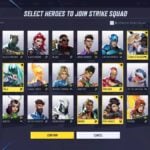
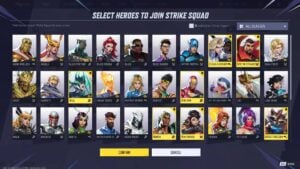

To select your Strike Squad in Marvel Rivals, make your way to the Heroes tab from the in-game lobby. Now, find your preferred heroes that you regularly play in matches and hover over their Lord Icons. You can press right-click on your mouse or LT/R2 on your controller to put them in your Strike Squad.
Once they’re on your Strike Squad, you should notice a small bookmark next to their card. You can also select the Strike Squad option on the heroes menu to manually select and add heroes.
How to use Strike Squad in Marvel Rivals



To use your Strike Squad, simply queue into a match and you should see your selected heroes at the top of their role queues. Moreover, you can also select the small icon on the right side of your screen (beaneath the Strategists icon) to filter out only the heroes that you’ve added to your Strike Squad and choose them.
This quality-of-life change makes it incredibly convenient and quick for you to choose heroes, allowing to easily insta-lock your preferred heroes without the need to scroll down the. Those crucial seconds of scrolling could result in you playing an unfamiliar pick, which doesn’t help you play out your strategy especially in competitive matches.
Next up, you can read our guides to know about the season 4 battle pass rewards and how to play Angela in Marvel Rivals.









Published: Sep 17, 2025 09:47 pm