




Fighting games can be quite complicated with their variety of different moves and character combos. 2XKO is no exception, with three types of attacks, two skills, tags, and more. Pulse Combo is a feature that removes some of the barriers when making combos and makes learning 2XKO much easier.
Here’s everything you need to know about Pulse Combo in 2XKO, how it works, and how to toggle it on and off.
Table of contents
How to enable or disable Pulse Combo in 2XKO
Match start
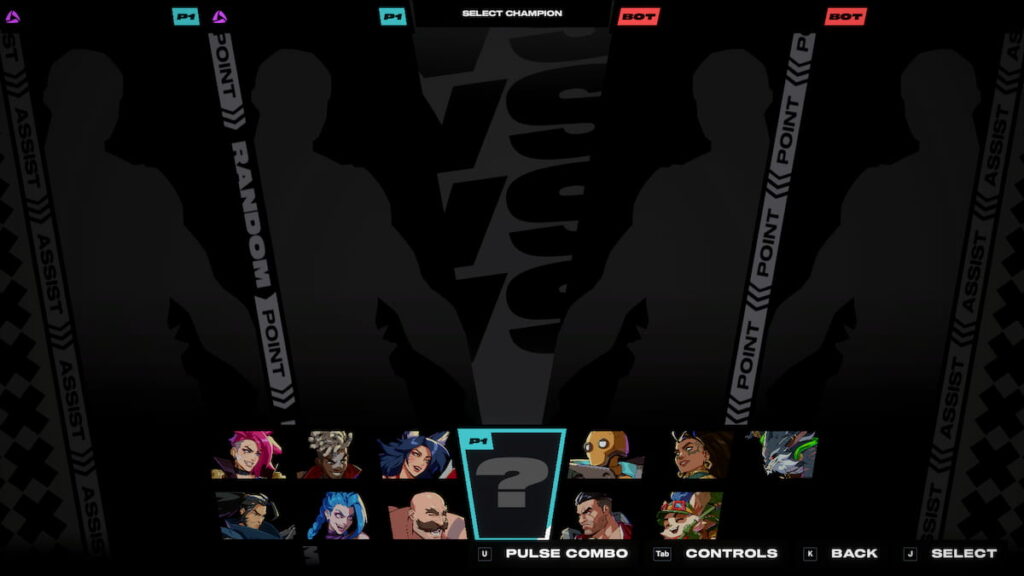
You can toggle Pulse Combo during champion select at the start of any match using RT on Xbox controller, R2 on PlayStation controller, and U on keyboard. Pulse Combo is indicated by the purple icon next to your name at the top of the screen. If it’s next to anyone’s name, it means the player is using Pulse Combo.
Settings
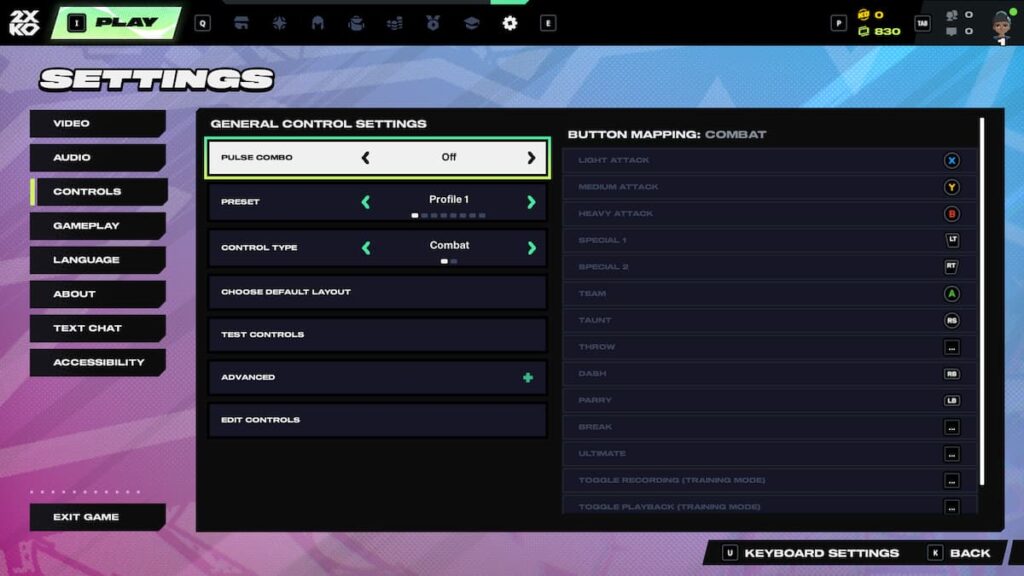
Head to the settings to have Pulse Combo on or off by default. In the Controls tab, the first option is Pulse Combo, which you can toggle on or off. There are also multiple control presets that you can customize and test.
You can also access some of the settings (including the Pulse Combo toggle and preset swap) during the champion select stage.
Pulse Combo in 2XKO, explained
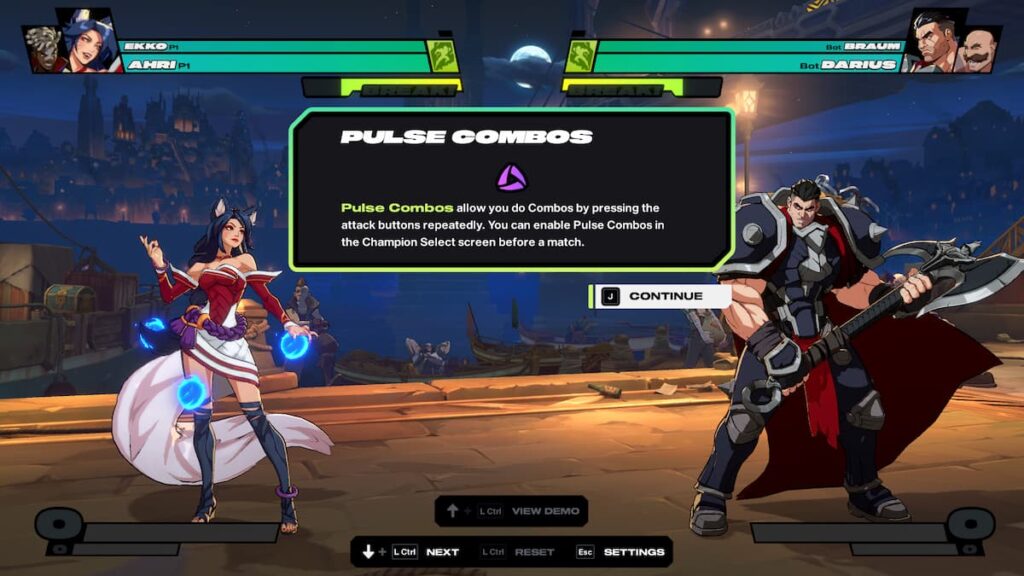
Pulse Combo is an easier way to make combos in 2XKO. By repeatedly pressing Light, Medium, or Heavy attacks, they will chain together, resulting in powerful moves. Much like with regular combos, you can chain into stronger attacks (like Light into Medium), with Medium and Heavy Pulse Combos ending with your Super and Ultimate, respectively, if the meters are full.
It’s a great way to learn the game, especially if you’re new to fighting games. However, it’s still worth learning champion-specific combos to weave them in between Pulse Combos and have a better understanding of the character’s moveset. For experts, Pulse Combo may offer less control when performing specific moves and using Super or Ultimate.







Published: Oct 9, 2025 04:52 am