



Whether you like splurging or stashing your budget, there’s really no reason to turn down free in-game items. So why not grab all the Where Winds Meet Twitch drops that NetEase is giving away right now? If you aren’t sure how to, we’re here to help.
The hit Wuxia action RPG has been live on various platforms, including PC, PS5, and Chinese mobiles, since Nov. 15. It’s also all set to launch for Android and iOS globally on Dec. 12. No matter which platform you’re on, you can earn all current Where Winds Meet Twitch drops and give your inventory a free boost.
Here’s how to earn Where Winds Meet item drops via Twitch.
Table of contents
All Where Winds Meet Twitch drops and how to earn them
As of Dec. 11, 2025, you can earn five items (including two drop chests carrying multiple rewards) in Where Winds Meet via Twitch drops. The current campaign will end on Dec. 31, so make sure you claim these drops by then. Here are the details:
| Item | Item name | How to get |
|---|---|---|
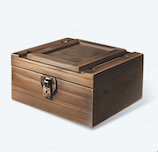 | Dec 15-min drop, featuring – 30,000 Coins – 1x Internal Art Chest – 30x Echo Jade | Watch 15 minutes of an eligible live stream on Twitch |
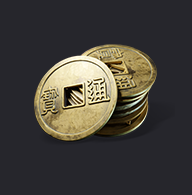 | 20,000 Coins | Watch 30 minutes of an eligible live stream on Twitch |
| Dec 60-min drop, featuring – 15x Oscillating Jade – 20x Echo Jade | Watch one hour (60 minutes) of an eligible live stream on Twitch |
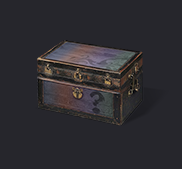 | 3x Internal Art Chest | Watch 1.5 hours (90 minutes) of an eligible live stream on Twitch |
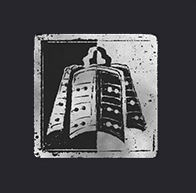 | Fledging Warrior Badge | Watch 2.5 hours (150 minutes) of an eligible live stream on Twitch |
If you don’t see a “drop earned” notification despite completing the required watchtime on Twitch, don’t worry. The platform may take some time to process your activity, especially when a large number of viewers are trying to earn drops at the same time.
In such cases, we recommend visiting and refreshing the Drops & Rewards tab page on Twitch. Continue watching the stream until you see the drops earned notification. Also, make sure the creator you’re watching has the “Watch to earn Drops!” notification on their stream. If you’re not sure whom to watch, you can find a drop-eligible Where Winds Meet creator here.

Also, you must link your Where Winds Meet account to Twitch to successfully earn the drops—we’ve explained how to do that below.
How to link Twitch to Where Winds Meet and claim Twitch drops
To link your Twitch account to Where Winds Meet and claim a drop, here are the steps you should follow:
- Firstly, make sure you download the game, make a Where Winds Meet account, and create an in-game character.
- Next, open this page on a browser, scroll down, and hit the Log In button.
- Follow the on-screen instructions to connect your Where Winds Meet account to Twitch.
- After this, open Twitch and watch an eligible livestream for the required amount of time. You can see your progress toward drops earned under your profile section. Finally, you should see a notification pop up once you earn the drop.
- Now, hit your profile icon on Twitch and then select Drops & Rewards. You should see the drops you earned show up under the Inventory tab.
- Click on “Claim Now” to successfully claim a drop in-game.
After you claim any drop, you should see it show up in your in-game mailbox within a day.





Published: Dec 11, 2025 08:51 am