



Call of Duty Black Ops 7’s open beta is in full swing, and if you were looking for the best settings to use on PC, you’ve arrived at the right place.
Although the BO7 open beta will end on Oct. 8, the settings below will be applicable once the game fully launches later this year. You may tweak some settings according to the specifications of your PC, but make sure it meets the minimum system requirements, at least.
The settings listed below are based on my system, which features an RTX 3060Ti, Ryzen 5 3600, and 32GB of DDR4 RAM (3200MHz). With that said, here’s everything you need to know about the best Black Ops 7 beta settings.
Table of contents
Best Black Ops 7 beta graphics settings
Display
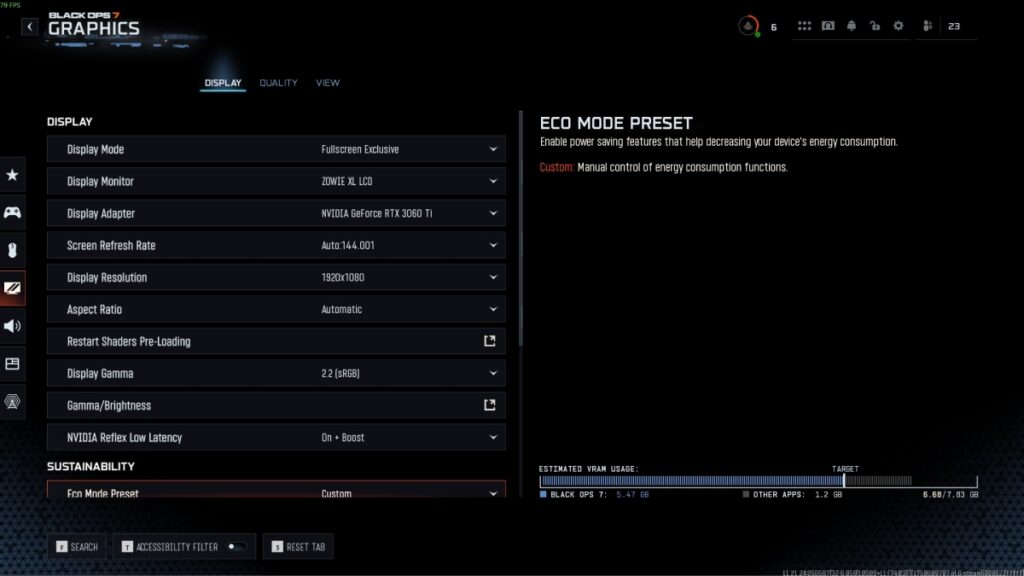
- Display Mode: Fullscreen Exclusive
- Display Monitor: Your monitor model number
- Display Adapter: Your GPU (make sure to update to the latest graphics driver for the best performance)
- Screen Refresh Rate: Your monitor’s refresh rate (144Hz in my case)
- Display Resolution: Your monitor’s native resolution (1920×1080 in my case)
- Aspect Ratio: Automatic
- NVIDIA Reflex Low Latency: On + Boost
- Eco Mode Preset: Custom
- VSync (Gameplay): Off
- VSync (Menus): Off
- Custom Frame Rate Limit: Unlimited
Quality
- Graphic Preset: Custom
- Dynamic Resolution: Off
- Upscaling/Sharpening: NVIDIA DLSS (AMD GPU holders can opt for FSR)
- NVIDIA DLSS Preset: Balanced
- NVIDIA DLSS Sharpness: 100
- DLSS Model: CNN
- AMD FSR 3 Frame Generation: Off (If you’re struggling with frames, turn it on)
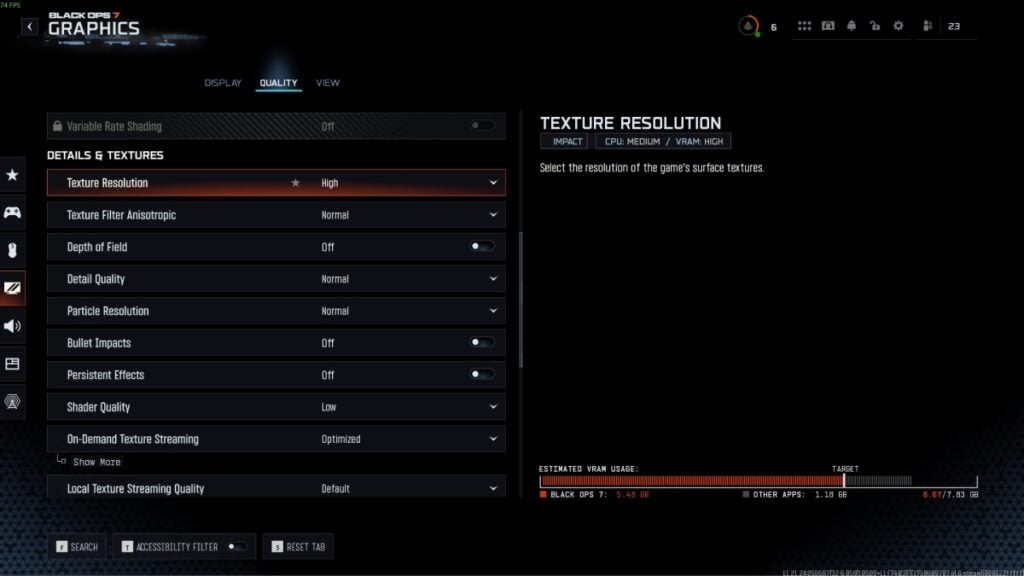
- Texture Resolution: High
- Texture filter Anisotropic: Normal
- Depth of Field: Off
- Detail Quality: Normal
- Particle Resolution: Normal
- Bullet Impacts: Off
- Persistent Effects: Off
- Shader Quality: Low
- On-Demand Texture Streaming: Optimized
- Local Texture Streaming Quality: Default
- Shadow Quality: Normal
- Screen Space Shadows: Off
- Occlusion and Screen Space Lighting: Medium
- Screen Space Reflections: Off
- Static Reflection Quality: Low
- Terrain Quality: High
- Volumetric Quality: Medium
- Deferred Physics Quality: Low
- Weather Grid Volumes Quality: Low
- Water Quality: Off
View
- Motion Reduction Preset: Off
- Arachnophobia Mode: Off (you can turn it on for Zombies if you need)
- Field of View (FOV): 120 (best for multiplayer and Warzone)
- ADS FOV: Affected
- Weapon FOV: Default
- 3rd Person FOV: 90
- Vehicle FOV: Default
- World Motion Blur: Off
- Weapon Motion Blur: Off
Best Black Ops 7 beta audio settings
Now that your visual part is sorted, it’s time to get the audio settings right. At the end of the day, you have to rely on your auditory sensors for enemies approaching from the sides or back.
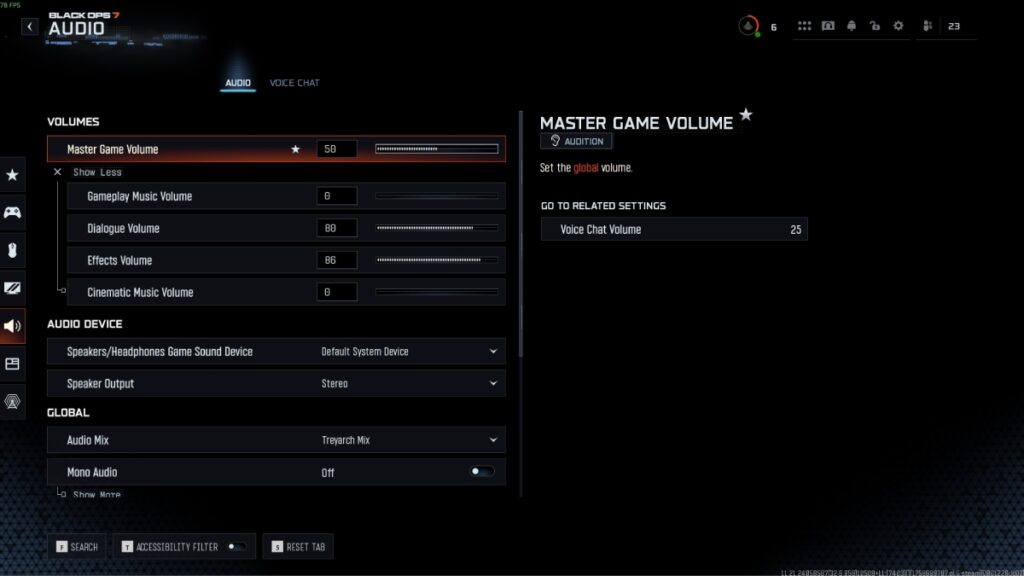
- Master Game Volume: 50
- Gameplay Music Volume: 0
- Dialogue Volume: 80
- Effects Volume: 86
- Cinematic Music Volume: 0
- Speakers/Headphones Game Sound Device: Default System Device
- Speaker Output: Stereo
- Audio Mix: Treyarch Mix
- Mono Audio: Off
- Mute Game When Minimized: Off
- Mute Licensed Music: Off (turn it on if you create content to avoid copyright claims or strikes)
- Asymmetrical Hearing Compensation: Off
- Reduce Tinnitus Sound: Off
- Hitmarker Preset: Default
These are the audio settings you need to use to strike a balance between footsteps and gameplay. Cut off all the unnecessary music if you have to, and grind all the way with the correct audio cues from all around.
While the beta is still on, make sure to claim all the limited-time Black Ops 7 rewards from Twitch.

Published: Oct 6, 2025 04:40 am