


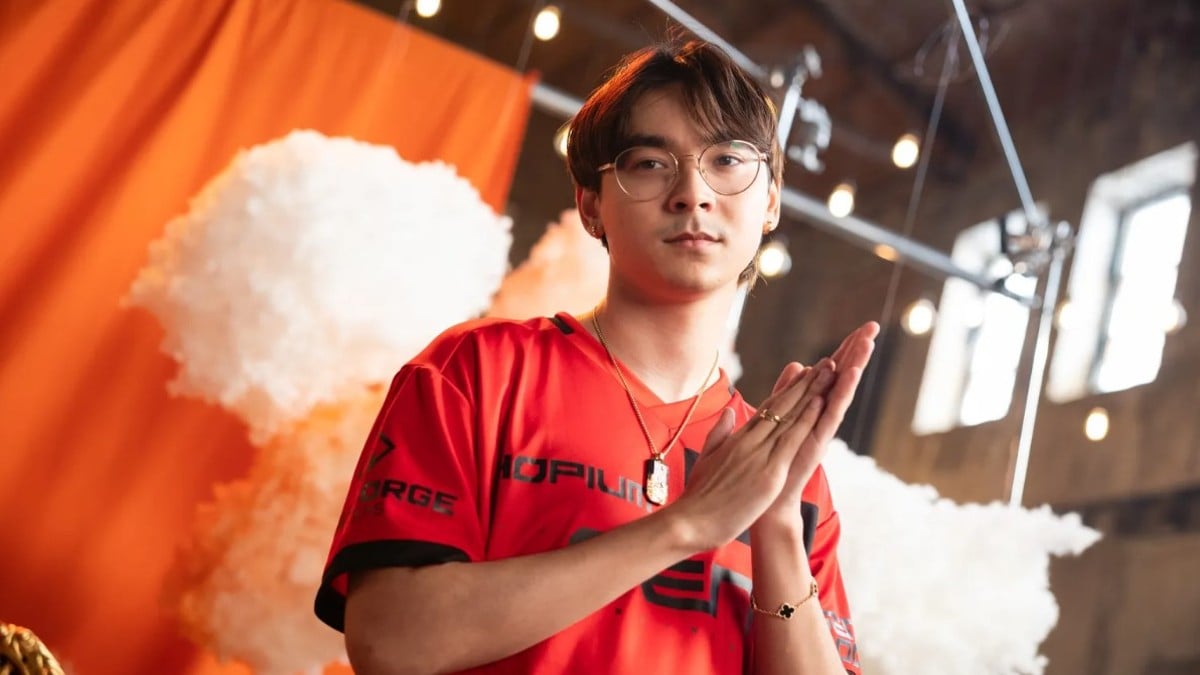
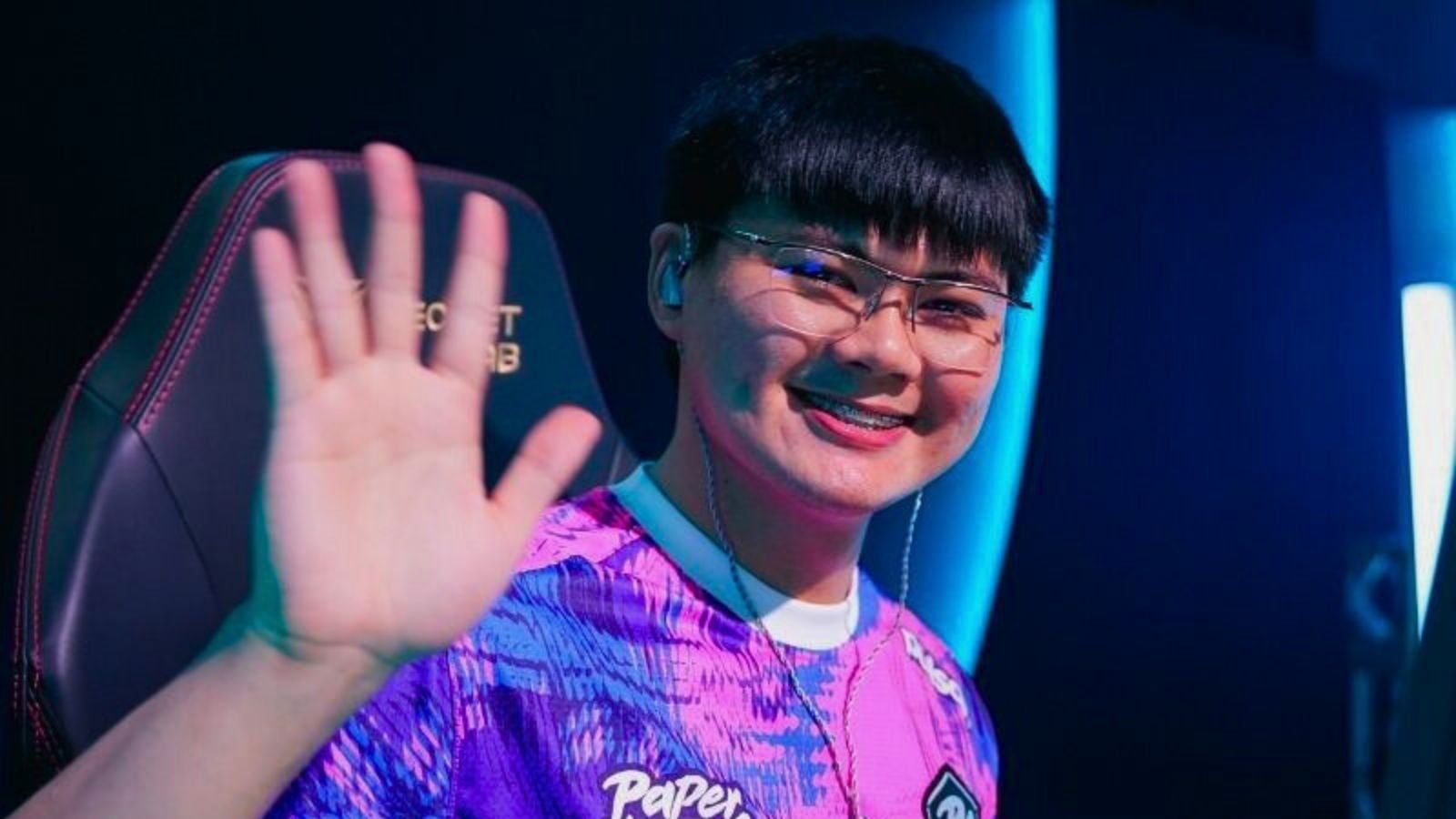
If you’ve enjoyed playing an FPS game in the last few years, the name “TenZ” would likely ring more than just a bell for you. The 24-year-old is an emotion, an inspiration to gamers around the world. No wonder you’re here checking out TenZ’s VALORANT settings—and potentially, master that iconic hospital flick to impress your duo.
Whether you’re a beginner or veteran, TenZ’s settings are a great reference point if you’re looking to clean up your aim and well… “get good.” Below, you’ll find all of his current aim, mouse, crosshair, map, graphics, and other VALORANT settings, plus answers to some of the most common questions about his setup.
In a nutshell
- TenZ’s current aim sensitivity (in-game) is 0.09, while his mouse DPI is set at 1600. His eDPI is 144, lower than the standard recommended 200.
- His current crosshair is a small plus in cyan.
- He uses secondary mouse buttons for certain agent abilities.
- His map and video settings focus on performance, not visuals.
Table of contents
TenZ’s full VALORANT settings list
Before we jump to decode his VALORANT settings, here’s why TenZ’s choices are an ideal point of reference. For starters, he has largely preferred using one of the most beginner-friendly and reliable reticle styles: the plus crosshair in cyan. His mouse settings might feel a bit slow for some players, but switching to a lower eDPI can help improve accuracy and headshot consistency. So, if you’re whiffing a bit too much lately, trying out TenZ’s settings might be exactly what you need right now.
TenZ also sticks to FPS-friendly video and map settings in VALORANT, so switching to his preferences may actually give you smoother performance than before.
The answer depends on your expectations. If you’re copying TenZ’s settings thinking you’ll become an aim god overnight, that’s not going to happen—unless you get lucky and his exact setup happens to be your sweet spot too. Most players use a pro’s settings as a reference point, then tweak them to find what feels right. u003cemu003eVALORANTu003c/emu003e settings are highly personal, so don’t be surprised if someone else’s preferences feel like trying to play in shoes that aren’t your size.
TenZ VALORANT crosshair settings and codes
TenZ has used several variations of the plus crosshair over time, but I’ve listed the latest and the popular ones below.
Crosshair 1 (current)
I love TenZ’s latest VALORANT crosshair: It’s tiny, yet perfectly balanced. I usually don’t like small crosshairs since my monitor size doesn’t quite do them justice, but this one doesn’t make me feel like I’ve to squint my eyes out of their sockets. It’s comfortable, clean, and a great option for players who prefer dot-style crosshairs but also want the tracking precision that a plus crosshair offers.
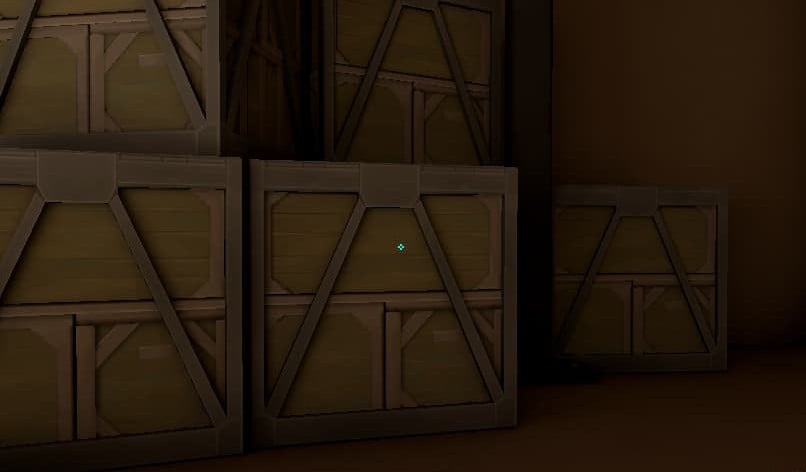
| Crosshair code | 0;s;1;P;c;5;u;2AFF00FF;h;0;f;0;0l;2;0v;2;0o;1;0a;1;0f;0;1b;0 |
| Color | Cyan |
| Outlines | Off |
| Center Dot | Off |
| Inner Lines | On |
| Inner Line Opacity | 1 |
| Inner Line Length | 2 |
| Inner Line Thickness | 2 |
| Inner Line Offset | 1 |
| Outer Lines | Off |
Crosshair 2
This one’s a small plus too, but without the offset and with slightly longer inner lines. There isn’t any difference in benefits between this and the crosshair TenZ currently uses: It’s just a personal visual preference.
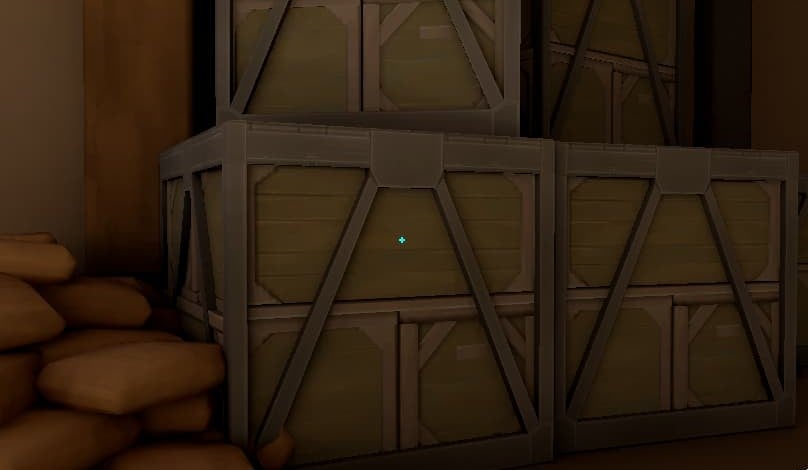
| Crosshair code | 0;s;1;P;c;5;h;0;m;1;0l;3;0o;0;0a;1;0f;0;1b;0;S;c;5;o;1 |
| Color | Cyan |
| Outlines | Off |
| Center Dot | Off |
| Inner Lines | On |
| Inner Line Opacity | 1 |
| Inner Line Length | 3 |
| Inner Line Thickness | 2 |
| Inner Line Offset | 0 |
| Outer Lines | Off |
Crosshair 3
Every VALORANT player has tried this iconic plus-style crosshair at least once in their career—and for good reason. It’s a reliable reticle that makes tracking enemies feel natural and consistent. In fact, it’s one of the best VALORANT crosshairs for beginners looking to stabilize their aim and perfect their head-level placement.
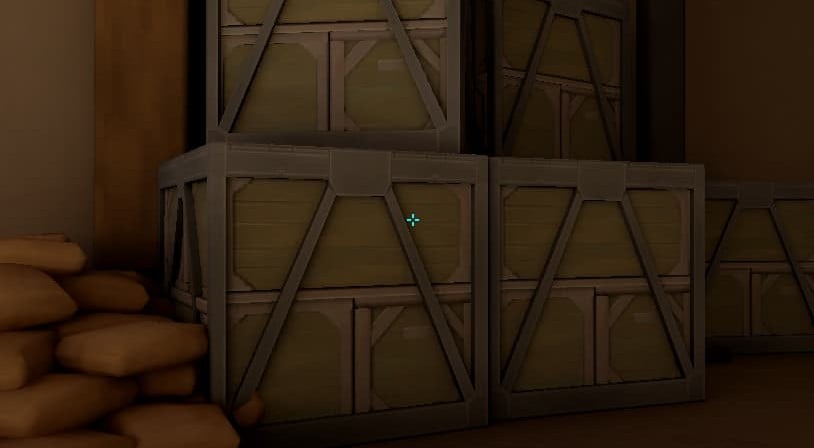
| Crosshair code | 0;s;1;P;c;5;h;0;m;1;0l;4;0o;2;0a;1;0f;0;1b;0;S;c;4;o;1 |
| Color | Cyan |
| Outlines | Off |
| Center Dot | Off |
| Inner Lines | On |
| Inner Line Opacity | 1 |
| Inner Line Length | 4 |
| Inner Line Thickness | 2 |
| Inner Line Offset | 2 |
| Outer Lines | Off |
TenZ VALORANT mouse settings
If you’re someone who prefers playing VALORANT in ultra-low sensitivity, TenZ’s mouse settings should perfectly fit your taste. An eDPI of just 144 will definitely stabilize your aim and improve your crosshair placement if it’s wobbly at the moment. That said, you’ll need to move your hand more than usual for flicks to land and to perform quirky movement mechanics like bunny hopping.
| DPI | 1600 |
| Sensitivity | 0.09 |
| eDPI (DPI x Sensitivity) | 144 |
| Scoped Sensitivity | 1 |
| ADS Sensitivity | 1 |
| Polling Rate (Hz) | 1000 |
| Windows Sensitivity | 6 |
| Raw Input Buffer | On |
TenZ VALORANT keybinds
While default keybinds may work for some, assigning some of VALORANT’s mechanics to your mouse’s extra buttons helps strike a balance between keyboard and mouse usage, potentially allowing you to react much faster.
| Walk | L-Shift |
| Crouch | L-Ctrl |
| Jump | Mouse wheel down |
| Use object | E |
| Equip Primary Weapon | 1 |
| Equip Secondary Weapon | 2 |
| Equip Spike | 5 |
| Equip Melee | 3 |
| Ability 1 | C |
| Ability 2 | Mouse button 4 |
| Ability 3 | Mouse button 5 |
| Ability 4: Ultimate | F |
TenZ VALORANT map settings
| Rotate | Rotate |
| Fixed Orientation | Based on side |
| Keep Player Centered | On |
| Minimap Size | 1.2 |
| Minimap Zoom | 0.7 |
| Minimap Vision Cones | On |
| Show Map Region Names | Always |
TenZ VALORANT video settings
| Resolution | 1920×1080 |
| Aspect Ratio | 16:9 |
| Aspect Ratio Method | Fill |
| Display Mode | Windowed Fullscreen |
| Multithreaded Rendering | On |
| Material Quality | Low |
| Texture Quality | Low |
| Detail Quality | Low |
| UI Quality | Low |
| Vignette | Off |
| VSync | Off |
| Anti-Aliasing | MSAA 2x |
| Anisotropic Filtering | 2x |
| Improve Clarity | Off |
| Experimental Sharpening | Off |
| Bloom | On |
| Distortion | Off |
| Cast Shadows | Off |
| Enemy Highlight Color | Yellow (Deuteranopia) |
TenZ’s achievements in VALORANT
After a three-year career as a Counter-Strike professional, Tyson “TenZ” Ngo migrated to VALORANT under Cloud9’s banner in 2020, the same year Riot’s tac shooter made it to the market. He joined Sentinels in 2021 and hasn’t looked back since.
Since his career in VALORANT esports began, he’s bagged two international titles (both with Sentinels) and pulled off several outlandish plays under his name. While he initially made his mark as a Jett/duelist main, TenZ later shifted to a support role when his team needed him (Sentinels’ roster revamp for VCT 2023 and beyond) and excelled there, too. He remains best known for his Operator plays, both on stream and stage.
Unfortunately, all good things must come to an end—so did TenZ’s run in pro VALORANT. He announced his retirement from competition after VCT 2024, but he’s still a content creator for the Sentinels. Even as a streamer, he continues to thrive, with his Twitch channel boasting over 4.5 million followers. You can also watch him on YouTube, where he has over 2.6 million subscribers.
FAQs
Which mouse does TenZ use?
TenZ has been spotted using several kinds of gaming mice across u003cemu003eVALORANTu003c/emu003e tournaments and his streams, so it’s fair to call him something of a mouse connoisseur. That said, he currently rocks u003cstrongu003ethe Pulsar TenZ Signature Editionu003c/strongu003e, a mouse he personally helped design and shape. In tournaments, however, he was last seen using u003cstrongu003ethe Ninjutso Sora V2 during VCT 2024u003c/strongu003e.
Which keyboard does TenZ use?
TenZ uses u003cstrongu003ethe Wooting 80HE analog keyboardu003c/strongu003e.
Why does TenZ prefer 1600 DPI over 800 DPI?
When asked by a fan on stream, TenZ explained that he prefers 1600 DPI for u003cemu003eu003ca href=u0022https://dotesports.com/league-of-legendsu0022 target=u0022_blanku0022 rel=u0022noreferrer noopeneru0022u003eLeague of Legendsu003c/au003eu003c/emu003e and as his general mouse DPI outside of gaming. He also mentioned the popular theory that higher DPI can help reduce input latency, but it’s only by a few milli-seconds in limited cases and may not be significant enough for most players.
Does TenZ play on stretched resolution?
Yes, TenZ plays u003cemu003eVALORANTu003c/emu003e on stretched resolution. You can checkout u003ca href=u0022https://youtu.be/oorv4m2BVm4?si=o4aDhH53DIAb5-9Wu0022 target=u0022_blanku0022 rel=u0022noreferrer noopeneru0022u003ehis video guideu003c/au003e on how to set up u0022true stretched resu0022 like he did.
Does TenZ use RawAccel?
It’s unclear whether TenZ still uses RawAccel during his u003cemu003eVALORANTu003c/emu003e streams in 2025. While RawAccel isn’t permitted in official tournaments, players won’t be banned for using it in ranked games. You can learn how to set up RawAccel yourself and check out TenZ’s last known settings in u003ca href=u0022https://dotesports.com/valorant/news/best-raw-accel-settings-in-valorantu0022 target=u0022_blanku0022 rel=u0022noreferrer noopeneru0022u003eour dedicated guideu003c/au003e.






Published: Nov 7, 2025 08:31 am