


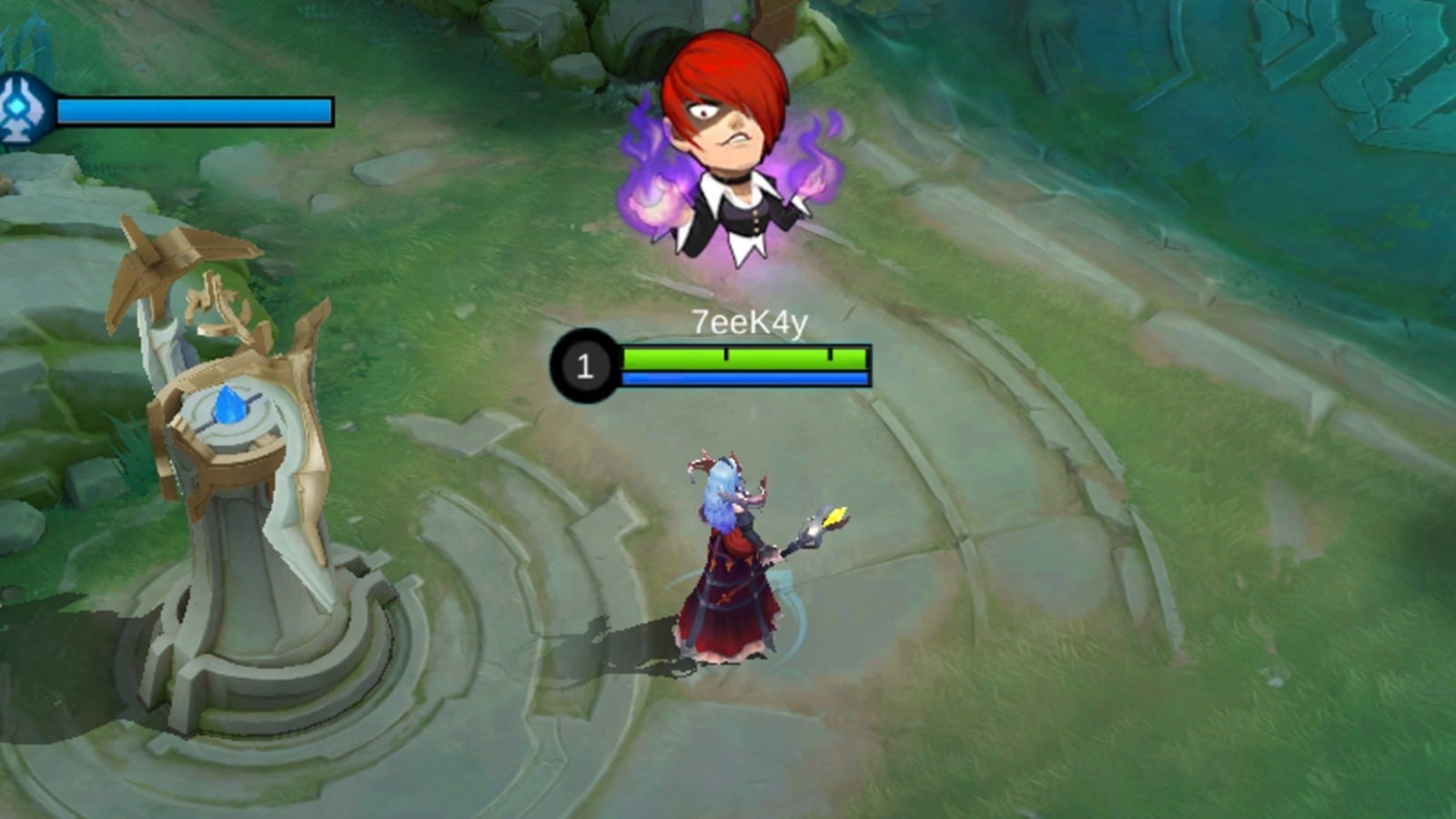

Ever noticed those quick little animations your teammates throw out during a match in Mobile Legends? Whether it’s a smirk, a wink, or a dramatic cheer, those are emotes, and they’re more than just fun visuals. Emotes are a fast, expressive way to communicate with your team or playfully get under your opponent’s skin (without stepping outside the rules, of course).
In Mobile Legends: Bang Bang, emotes are quick-trigger images or animations you can send in the middle of a match. They show up through your chat wheel or directly over your hero, giving you a way to say “nice try,” “let’s go,” or just show some flair without typing a single word. Whether you’re hyping up your squad or having a little fun between fights, emotes keep the game lighthearted and engaging.
Here’s everything you need to know about using emotes in Mobile Legends.
Table of contents
How to equip emotes in Mobile Legends
Equipping emotes for the in-game chat menu is very simple, and you can do so by following a series of simple steps. Here’s a step-by-step guide on how to equip emotes in MLBB:
- Click on the Preparation button from the bottom row on the main menu.
- Select the Effects tab from the menu on the left side of your screen, as seen in the image below.
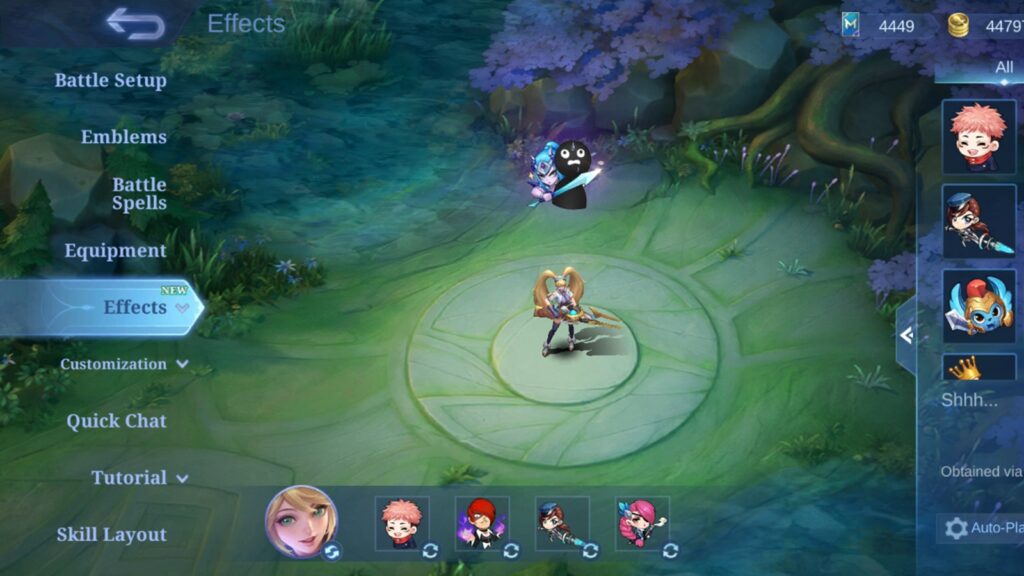
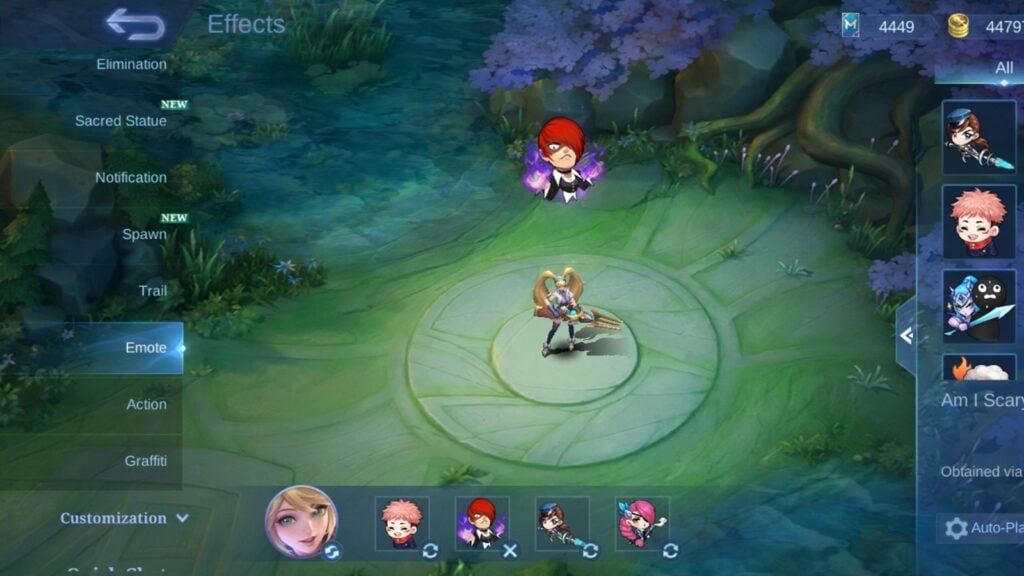
- Click on the Emote tab subcategory under the Effects menu to open your entire collection of available emotes.
- Select the ones you want and add them to the squares at the bottom of your screen to use them during matches.
How to use emotes in MLBB
Once you have set your favorite Emotes to use in the middle of battle, head into a match to jump into the action. After the draft and loading phase is over, and the game finally begins, click on the quick-chat button on the right side of your screen.
From the menu that pops up, select the Emote option to show your preset list of emotes. Click on whichever one you want to flaunt, and it will appear as an animated graphic on top of your character.
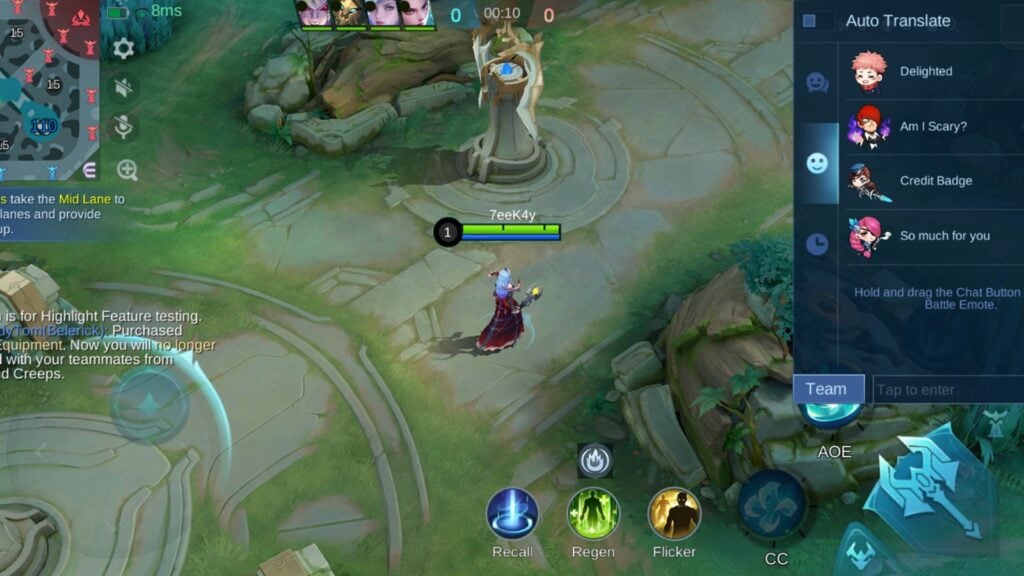
Alternatively, you can also use Emotes by long-pressing the quick-chat button to open the emote wheel, hovering to the one that you want to show, and releasing the button. This process is a lot quicker and simpler to execute, saving you valuable seconds on the battlefield while not losing out on any flair.
These animations are visible not only to your allies but also to your enemies. So make sure to use them as much as you can, especially after getting a Savage or a Legendary spree.
How to unlock more emotes in Mobile Legends: Bang Bang
If you’re wondering how to get your hands on more emotes in Mobile Legends, there are a few easy ways to build your collection. Most emotes are handed out through events, daily login rewards, or as part of the Starlight membership perks. You’ll also spot them in limited-time promotions, so it pays to keep an eye on updates and seasonal announcements.
Some heroes even come with their own exclusive emotes, which you can unlock by grabbing a special bundle from the shop. To browse what’s currently available, head into the in-game Shop and check the Emote tab. If you’re aiming for rare or seasonal ones, make sure to participate in ongoing events as they often feature time-limited emotes you won’t want to miss.
For more on Mobile Legends, check out our guide on the in-game ranking system.






Published: Aug 5, 2025 11:04 pm