


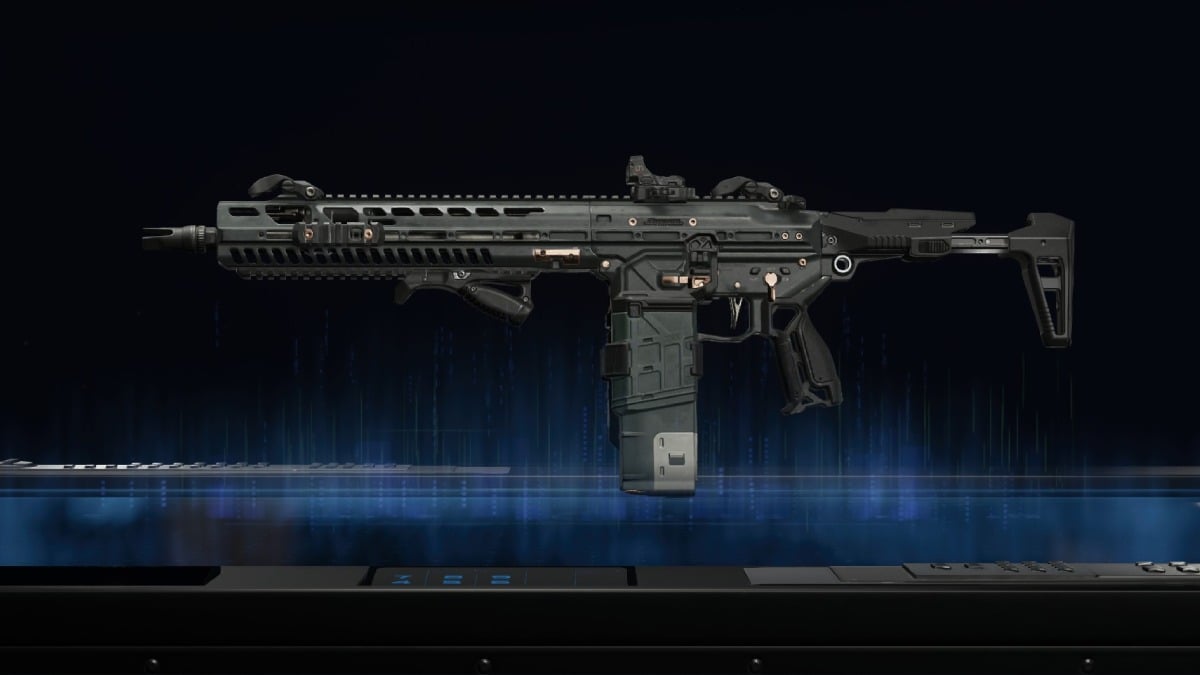

Call of Duty: Black Ops 7 allows you and other players to share codes for their weapon builds, letting you quickly set up your loadout and jump right into the game without spending time on figuring out the best attachments yourself.
Codes in BO7 are limited to weapon builds – you can’t share a full loadout, including field upgrades, perks, lethals, etc. While it’s not ideal, those mainly depend on your playstyle. The weapon may have a universal best build, but perks are way more flexible.
Here’s everything you need to know about build codes in BO7 and how to use them.
Table of contents
How to share weapon codes in Black Ops 7
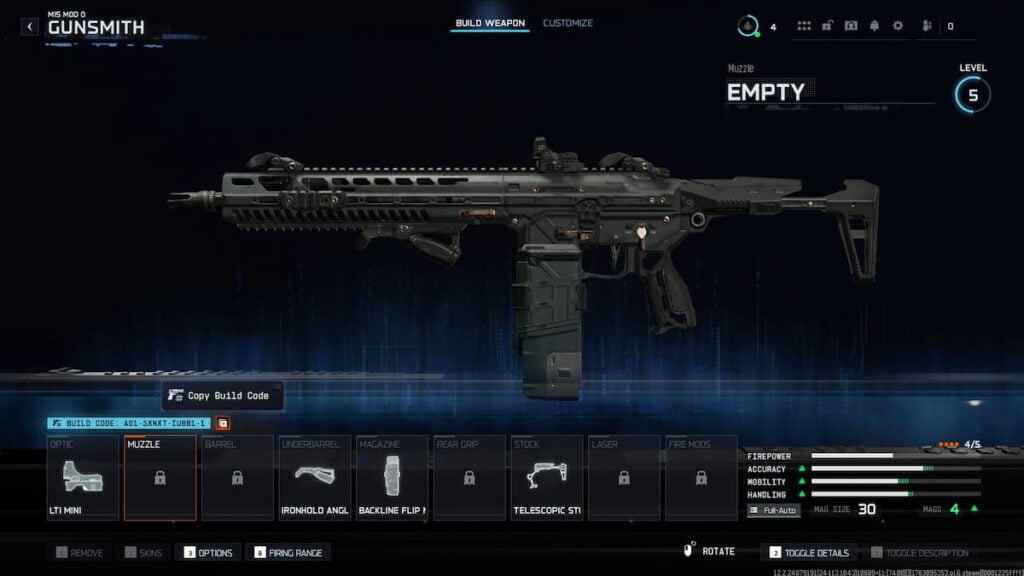
Weapon build codes unlock as soon as you reach level four and unlock loadouts in BO7. Every weapon build code is a 14-character code that changes depending on the attachments you equip, and you can share it with anyone online.
To copy and share a weapon build code in BO7:
- Head into the Gunsmith for the weapon you want.
- Equip all the necessary attachments.
- Press Copy Build Code next to the build code.
- Share the code with whoever you want.
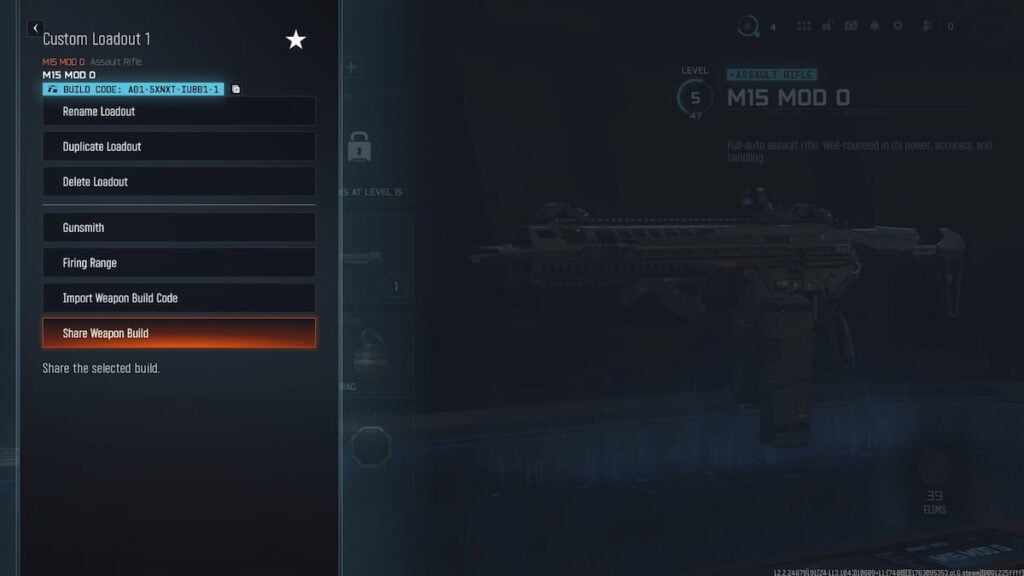
You can also send your weapon builds directly to your friends from the loadout menu. Friends you send the build to will receive a notification when they log in.
To send weapon builds to your friends:
- Open the Options menu on the loadout screen.
- Press Share Weapon Build.
- Select friends you want to share the build with.
- Share the weapon build.
How to import weapon codes in Black Ops 7
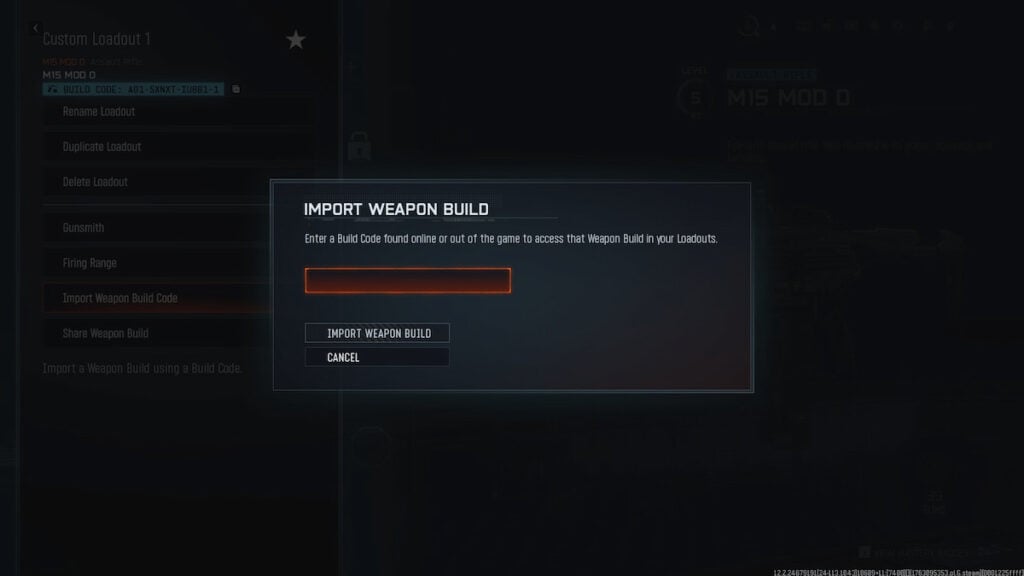
Likewise, if you found a build code, you can import it and use it immediately as long as you have unlocked all the required attachments. If some attachments are locked, the game will prompt you to remove them to play multiplayer.
To import a weapon build code:
- Open the Options menu on the loadout screen.
- Press Import Weapon Build.
- Review the attachments and press Save Weapon Build.
Importing the build doesn’t automatically equip it to your current loadout. Instead, you can find it under builds and blueprints when selecting a weapon.
How to copy builds during a match in Black Ops 7
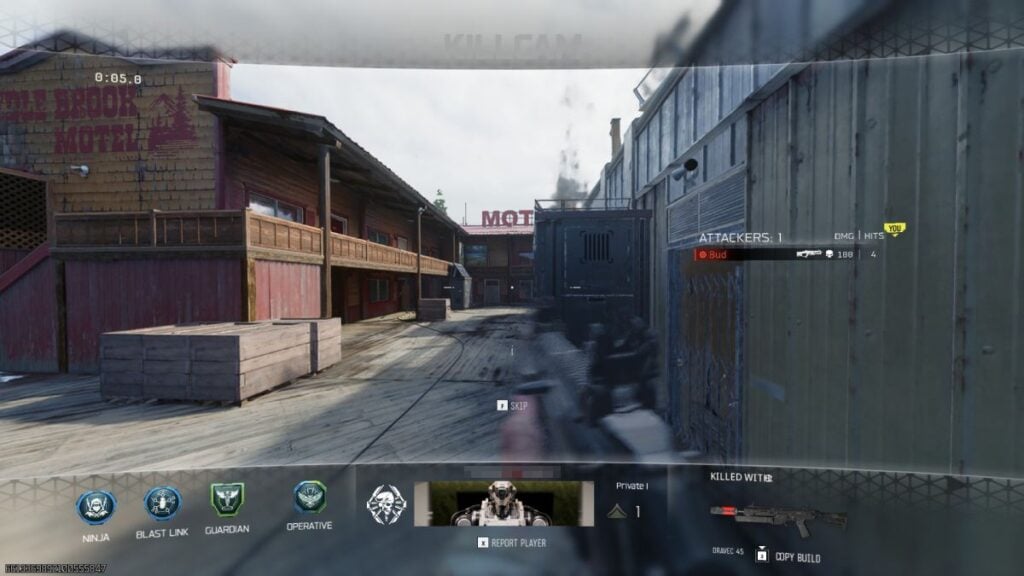
A handy feature in BO7, in case you found a player on the enemy team who’s slaying out with a particular weapon, is to copy their build during a match. When looking at a killcam or play of the game, hold the dedicated button near the gun (3 on keyboard by default) to copy the build. After copying the build, you can review and equip it through the notifications in the main menu.

Published: Nov 15, 2025 02:06 am