



Battlefield is always more fun with friends, but if you’re playing Battlefield 6, some social menus and friends lists may not always work. While it’s an annoying issue that can prevent you from playing together, there’s no apparent fix.
Here’s everything you need to know about the friends lists and social menu issues in Battlefield 6.
How to fix social menus not working in BF6
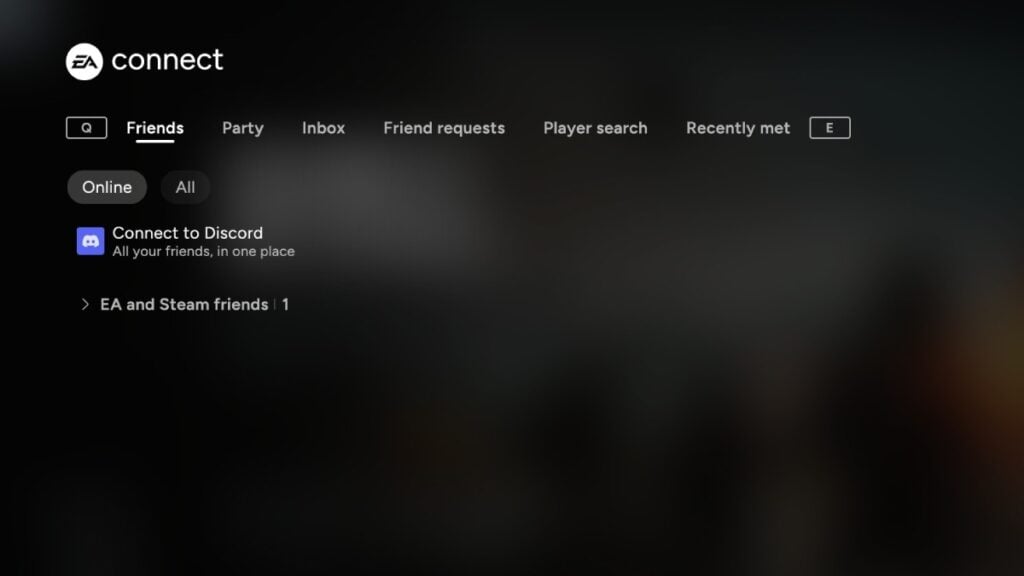
Most of the time, if friends lists in Battlefield 6 aren’t working, there’s likely a server-side issue. Apart from social menus, you may also encounter general menus not functioning as intended (e.g., only seeing the Bulletin tab). EA often addresses such issues on the official channels, so check the Battlefield 6 status and official social media when you encounter the problem.
In the meantime, try restarting the game and the EA App to see if it helps. You might also want to restart your router or disconnect and then reconnect to the internet, especially if you’re the only one among friends experiencing this. If you’re on Steam, you can still join your friends and their lobbies using the Steam overlay. Open the overlay using Shift+Tab and right-click on a friend playing Battlefield 6. Click Join Game to join their party.
Outside of that, the only thing you can do is wait until the issue is resolved. Previously, it took a couple of hours for servers to stabilize, but social menus returned to normal much quicker.


Published: Oct 21, 2025 07:34 am